info What Does "Generate Resume" Mean?
Generating a resume doesn’t mean receiving a perfect document magically. It requires structured input about your experiences, skills, and goals. AI tools like KudosWall streamline the process, taking language skills out of the equation. Whether you’re using a resume generator free, an online resume generator, or leveraging profiles like LinkedIn, it’s essential to input accurate details.
If you’re unsure about structuring your resume, browse through KudosWall’s resume examples for tailored guidance across US and global industries.
fact_check Why Details Matter
Your resume is only as good as the details you provide. Structured input ensures that AI can create tailored, impactful resumes. A good resume generator allows you to input key details such as:
- Job Title: Specify the exact roles you are targeting (e.g., "Senior Financial Analyst") to ensure ATS relevance.
- Job Description: Include a clear summary of your responsibilities and quantifiable achievements.
- Geographical Location: Highlight where you have worked or are seeking opportunities, which adds contextual value for recruiters.
Creating a Resume with an Online AI Generator
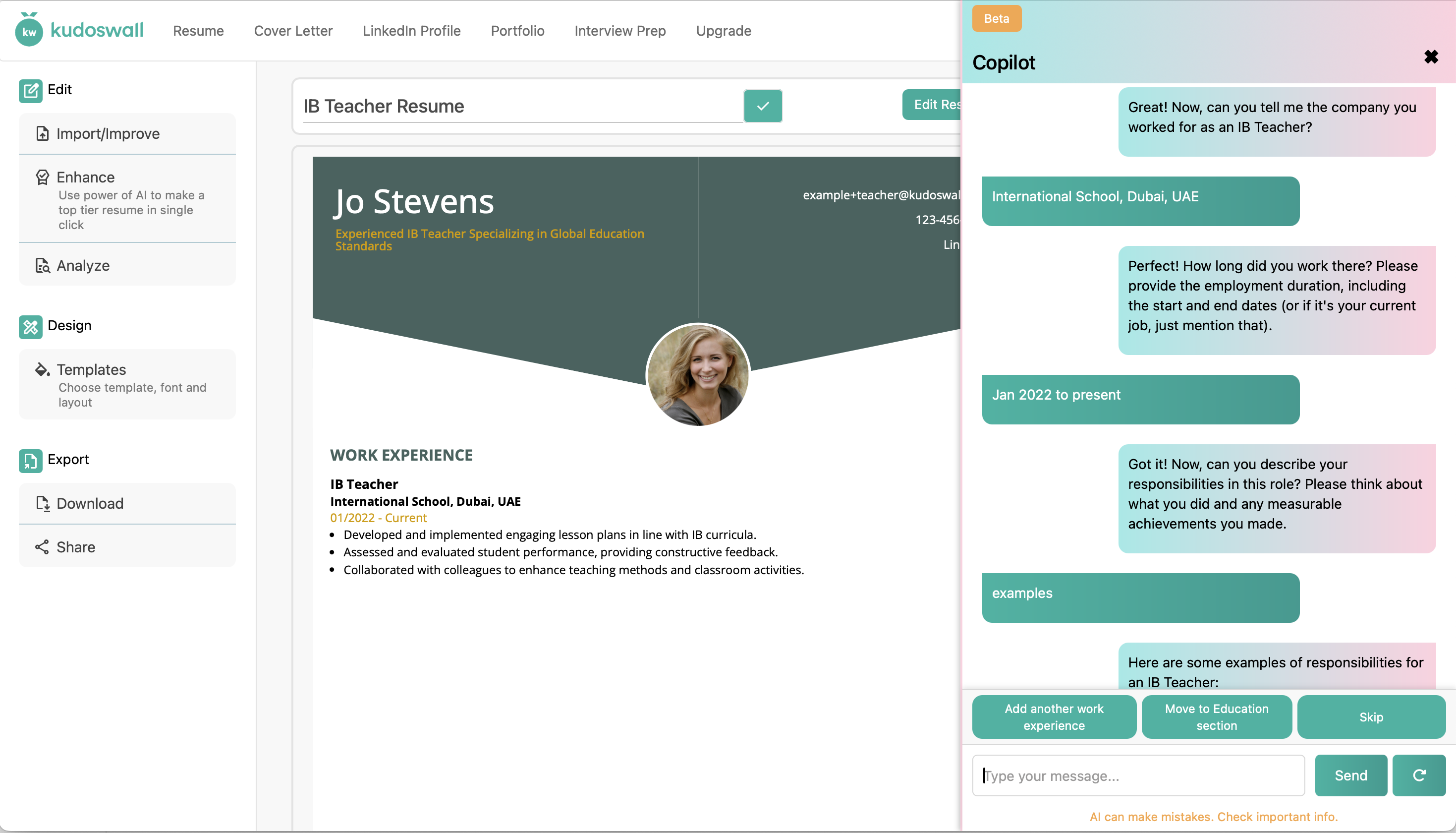
A screenshot of KudosWall’s conversational AI interface generating a resume with user inputs.
Reviewing Your Resume is Essential: After generating a resume, review it thoroughly. Ensure it accurately represents your qualifications and uses proper keywords. To ensure your new resume passes automated US corporate screenings, run it through KudosWall’s ATS Resume Analyzer.
work Generating Resumes for Different Career Stages
Entry-Level Candidates & Freshers
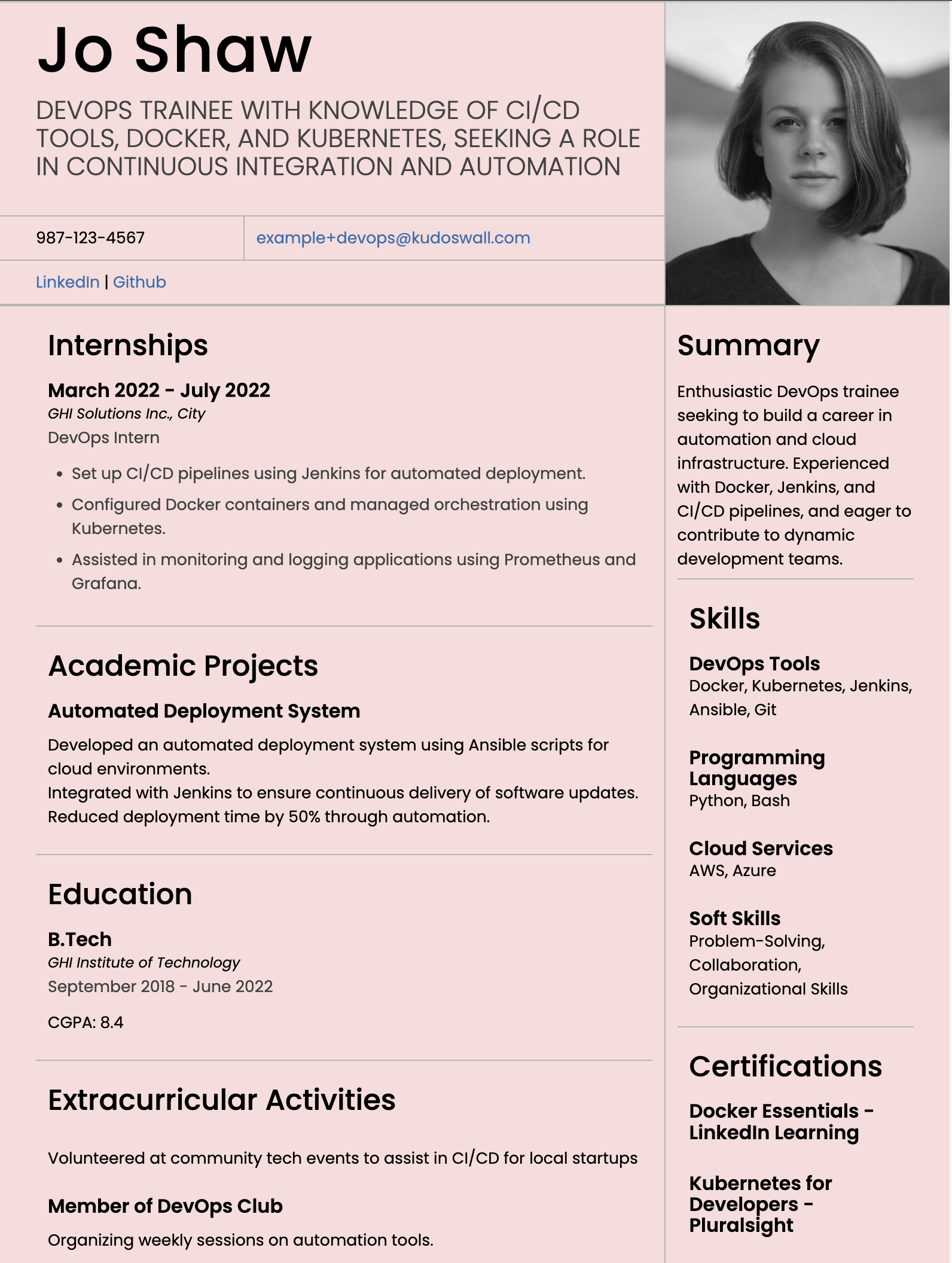
If you have limited work history, you must highlight academic achievements, capstone projects, and internships. Use AI to showcase your degree and hard technical skills effectively. Tools like KudosWall act as an intelligent resume online generator to help entry-level candidates stand out.
Experienced Professionals
Focus heavily on quantifiable accomplishments and tailor your resume for specific roles. AI tools help avoid clutter, prioritize key ATS keywords, and format your timeline for executive search firms.
Career Changers & Special Situations
For career switches, emphasize transferable skills. Address career gaps by highlighting certifications and freelance work. You can even upload your LinkedIn profile directly to KudosWall to streamline the translation of your past roles into your new career path.
campaign AI Resume & LinkedIn Headline Generator
Before an ATS reads your bullet points, it reads your headline. The right headline can drastically increase your visibility on LinkedIn and US job boards.
Stop guessing which keywords to use. Our AI has been trained on the exact ATS requirements of over 100 different industries. Select your specific profession, and let our AI generate the perfect, keyword-optimized headline for your profile.
- Generates targeted headlines for Resumes, LinkedIn, and Job Boards.
- Optimized for over 100+ specific professions (IT, Healthcare, Finance, etc.).
- Helps entry-level and experienced professionals beat the 7-second recruiter scan.
short_text Resume Summary & Bullet Point Generator
One of the hardest sections to write is your professional summary — until now. KudosWall’s AI Resume Summary Generator creates tailored summaries based on your role, industry, and career goals.
- Automatically adapts tone and length.
- Highlights key strengths and quantifiable achievements.
- Customizable by experience level (from entry-level to executive).
Resume Bullet Point Generator
Struggling to write strong, concise job descriptions? Use our AI Resume Bullet Point Generator to convert basic job responsibilities into powerful, action-oriented accomplishments.
- Craft action-oriented bullet points using strong verbs.
- Improve readability and ATS keyword density.
- Tailor points based on specific job titles or sectors.
cloud_upload Generate a Resume from LinkedIn
If your LinkedIn is already well-updated, there’s no need to start from scratch. Just download your LinkedIn profile as a PDF and upload it directly into KudosWall to generate a polished, structured resume in seconds. Prefer a visual design? Use our resume builder to select from modern templates after import.
How Do I Upload My Resume to LinkedIn?
Uploading your generated resume back to LinkedIn allows recruiters to view your full background beyond what’s listed in your profile. Here’s how:
- Go to your LinkedIn homepage and click on “Me” > “View Profile.”
- Click the “Add profile section” button.
- Select “Featured” > “Media.”
- Upload your resume PDF file generated by KudosWall.
- Add a title (e.g., “Resume – Marketing Specialist”) and a brief description.
rocket_launch Modern Resume Building Techniques
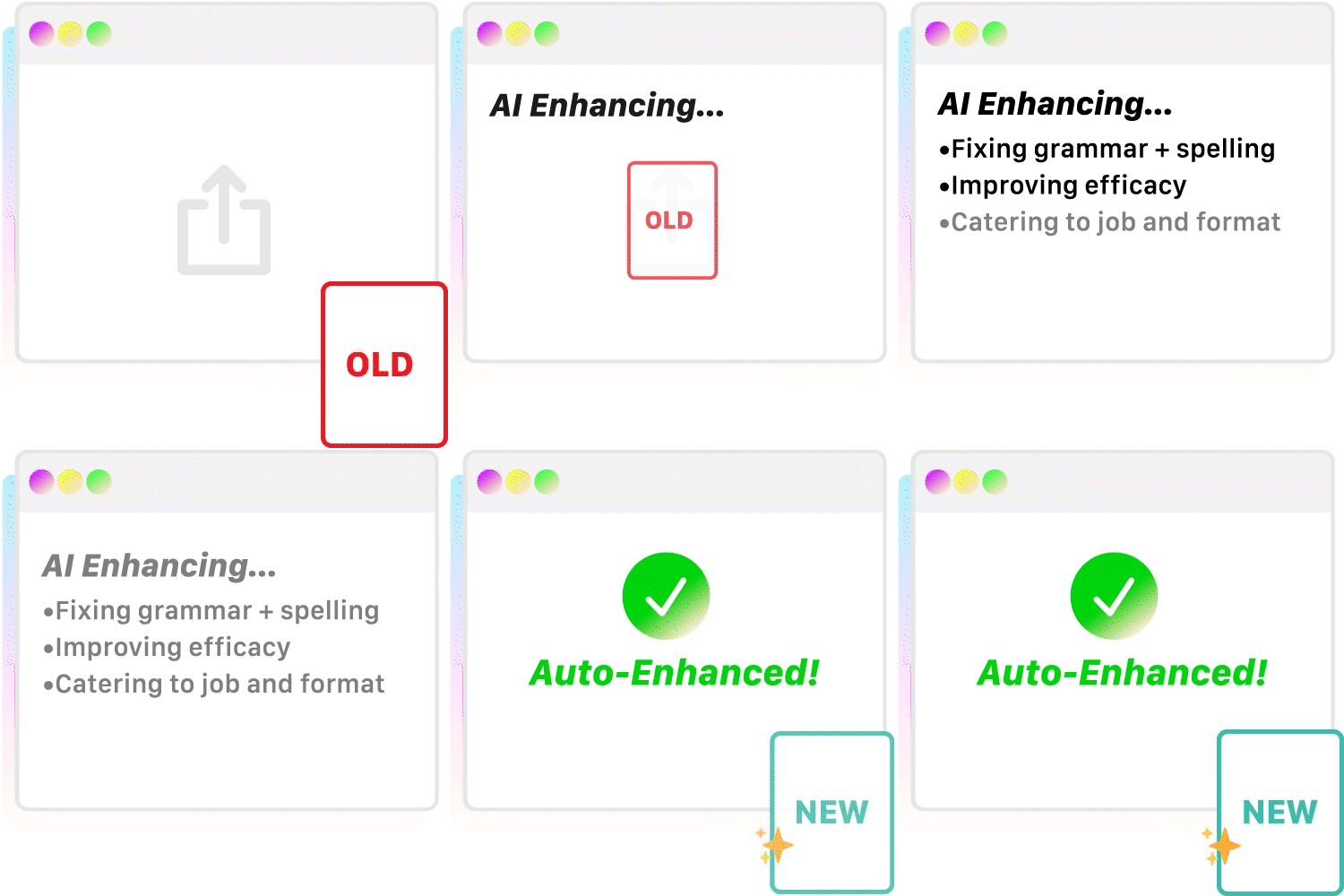
AI Resume Builders like KudosWall make resume building easy. With ATS-friendly formats, real-time optimization, and professional templates, you can create an enhanced resume effortlessly.
Pairing your resume with a tailored cover letter can make all the difference. Use KudosWall’s Cover Letter Generator to create compelling letters that complement your resume.
Prepare for your next interview confidently using KudosWall's AI Interview Copilot, designed to guide you through common questions and personalized scenarios.
help_outline Frequently Asked Questions (FAQ)
How do I generate an ATS friendly resume?
Use an AI-powered tool like KudosWall's resume generator that automatically formats your resume to be readable by Applicant Tracking Systems (ATS). This includes using standard fonts, proper headings, and keyword optimization for the role you’re targeting. After generating your resume, you can double-check compatibility using our ATS Resume Checker.
Can I generate a resume using my LinkedIn profile?
Yes. Simply download your LinkedIn profile as a PDF and upload it into the KudosWall resume builder. The tool will extract your professional information and structure it into a polished resume format.
What’s the difference between an AI resume builder and a traditional online generator?
A traditional resume generator provides templates but requires manual input and structuring. An AI resume builder like KudosWall offers smart suggestions, resume summaries, and bullet points — all tailored to your role, skills, and industry, with built-in ATS optimization.
Is the resume generator free to use?
Yes, KudosWall offers a free plan that allows you to generate, edit, and preview your resume. Premium features like downloading in different formats may require an upgrade.
Can I use the resume generator as an entry-level candidate or fresher?
Absolutely! KudosWall's resume builder is designed to help entry-level candidates and freshers highlight academic achievements, internships, and relevant coursework. It tailors content even if you have limited professional experience.
library_books More Career Guides
- Learn how to build a standout resume.
- Learn how to find your resume score and optimize your resume to pass ATS filters.
- Find tips and examples for crafting a resume summary that captures your awesomeness.
- Tailor your resume headline for maximum impact.
- Get inspired from resume examples tailored to various fields, including IT, healthcare, sales, and more.
- The Ultimate Guide to Writing an Effective Cover Letter.
- How to Build a Strong LinkedIn Profile.